前言
我们为什么要配置多个git账号呢?
一般情况下,我们都是一台电脑配置一个git账号,使用如下命令:
git config --golbal user.name "user"
git config --golbal user.email "user@mail.com"
但是,如果我们的电脑里既有工作项目,又有个人项目,需要推送到不同的github仓库,该如何配置呢?
配置多个git账号
移除git全局配置
-
右键
Git Bash Here打开Git命令行 -
输入命令
git config --list,查看全局配置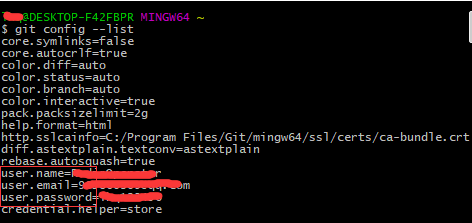
-
移除name、email、password等配置
# 移除全局配置账户
git config --global --unset user.name
# 移除全局配置邮箱
git config --global --unset user.email
# 移除全局密码
git config --global --unset user.password
生成SSH KEY并在GitHub上部署
-
右键
Git Bash Here进入Git Bash,然后进入.ssh文件夹,生成SSH KEY。# 进入.ssh文件夹 cd ~/.ssh # 生成user1的SSH KEY ssh-keygen -t rsa -C "user1@email.com" # 生成user2的SSH KEY ssh-keygen -t rsa -C "user2@email.com"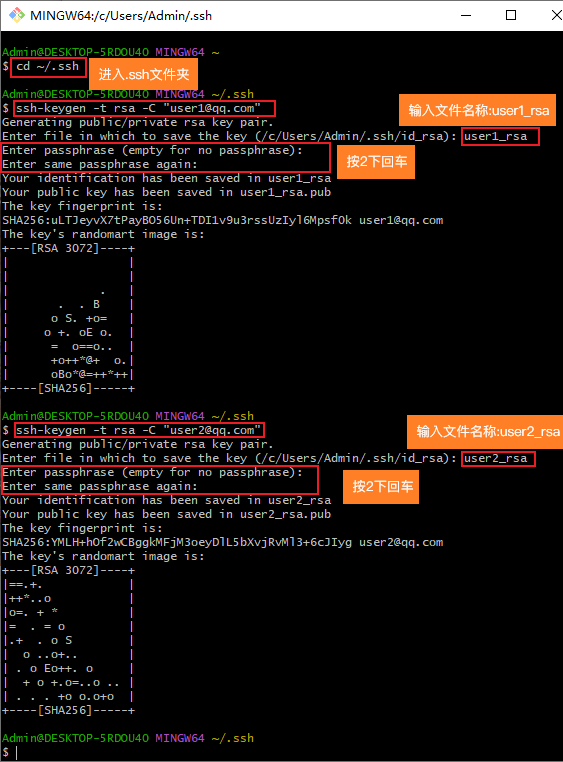
-
使用
ls命令查看生成的4个密钥文件。使用cat命令查看公钥# 查看文件列表 ls # 查看公钥 cat user1_rsa.pub cat user2_rsa.pub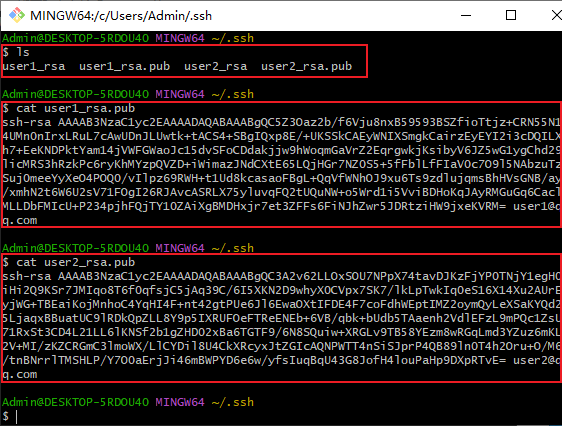
-
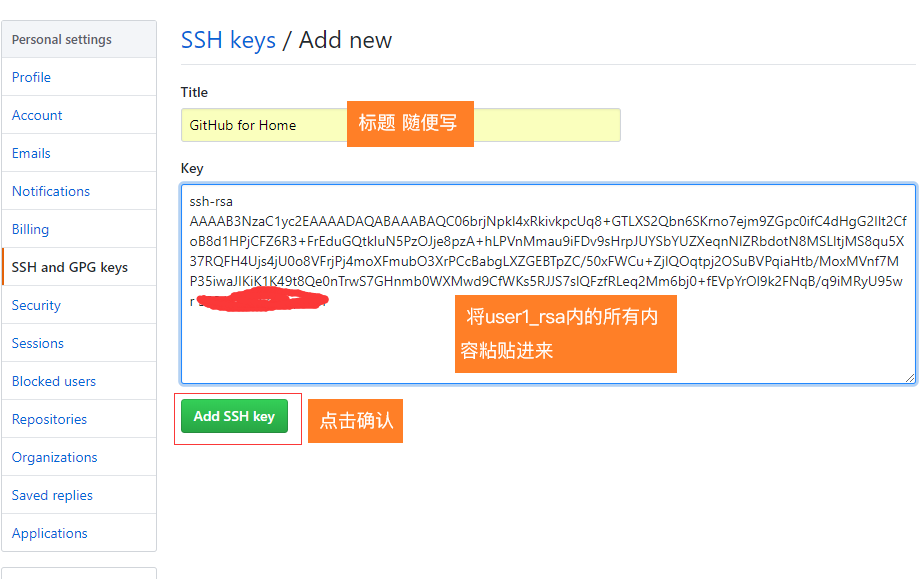
复制公钥,分别粘贴到对应的github的SSH key页面
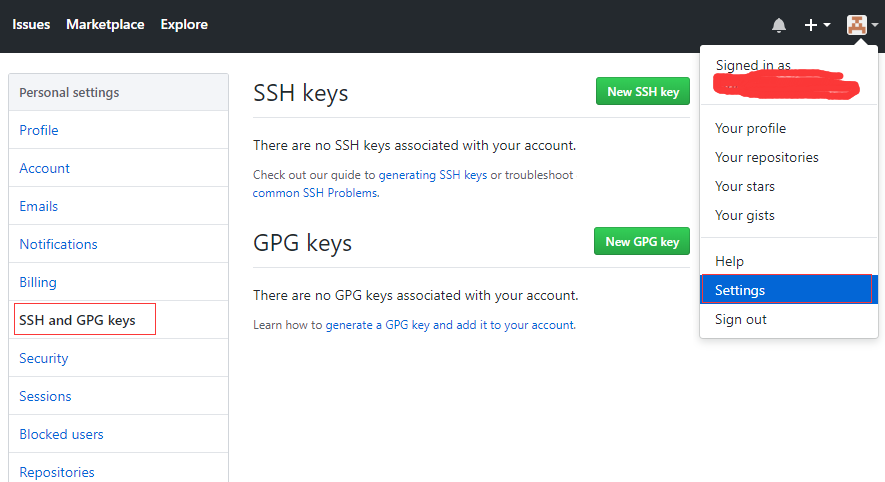
配置SSH的config文件
-
在.ssh目录下创建一个
config.txt文件,每个账号配置一个Host节点。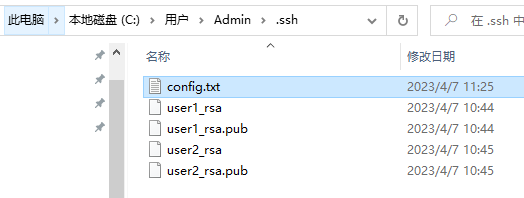
# 配置user1
Host user1.github.com
HostName github.com
IdentityFile C:\\Users\\lingh\\.ssh\\id_rsa
PreferredAuthentications publickey
User user1

# 配置user2
Host user2.github.com
HostName github.com
IdentityFile C:\\Users\\lingh\\.ssh\\id_rsa2
PreferredAuthentications publickey
User user2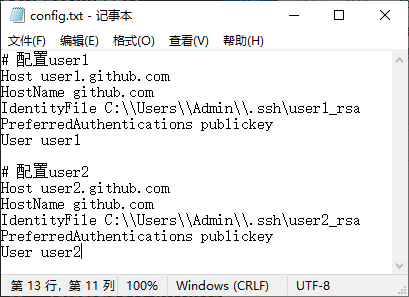
-
然后将
config.txt文件的.txt后缀删除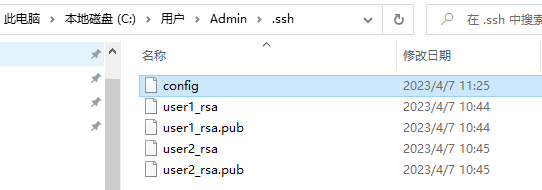
-
终端测试SSH Key是否生效
ssh -T git@user1.github.com
ssh -T git@user2.github.com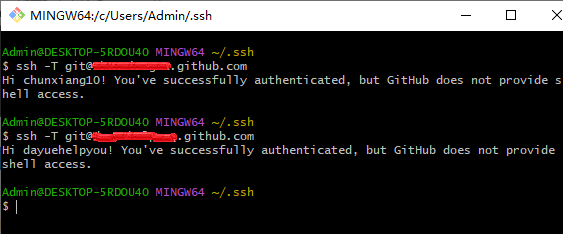
配置用户名和邮箱
为各仓库单独配置用户名和邮箱
git config user.name "user1"
git config user.email "user1@email.com"
如果原先使用HTTPS通信,则需要修改远程仓库地址
git remote rm origin
git remote add origin git@user1.github.com:user1/myproject.git
结语
我们在使用中,只需要为各个仓库单独配置用户名和邮箱,就可以实现在同一台电脑上,在不同的项目下,推送到不同的github仓库的功能。